
SGOU Result: How to Check Grade Card and Marks
Sreenarayanaguru Open University (SGOU) publishes examination results for undergraduate and postgraduate programmes on its official examination portal. Learners can view and download their semester grade card or marks sheet by providing their registered email address, enrolment number, and selecting their semester. SGOU charges no extra gateway fees for online payments made using RuPay debit cards, domestic credit cards, Net Banking, or UPI.
Key facts
| Grade Card Portal | Learner IRS Grade Card Portal |
|---|---|
| Required Form Details | Email, Enrolment Number, Semester |
| Semesters Covered | Semester One to Semester Six |
| Payment Modes Accepted | Debit Card, Credit Card, Net Banking, UPI |
| Payment Transaction Fee | NIL for RuPay, Credit Card, Net Banking, UPI |
Published Examination Results
SGOU publishes semester examination results for undergraduate and postgraduate programmes on the SGOU exam result page. Results cover regular, supplementary, and improvement examinations across various intake batches.
Recent Examination Results Published by SGOU
| Exam Result Title | Intake / Admission Batch | Exam Type |
|---|---|---|
| Third Semester Under Graduate Degree Examinations | Intake V (2024 July Admission) | Regular |
| Sixth Semester Under Graduate Degree Examinations | Intake II (2023 January Admission) | Regular |
| Fourth Semester Under Graduate Degree Examinations | Intake III (2023 July Admission) | Regular |
| Third Semester Bachelor of Computer Applications | Intake V (2024 July Admission) | Regular |
| Second Semester Under Graduate Degree Examinations | Intake V (2024 July Admission) | Regular |
| Fifth Semester Under Graduate Degree Examinations | Intake II (2023 January Admission) | Regular |
| Sixth Semester Under Graduate Degree Examinations | Intake I (2022 Admission) | Supplementary / Improvement |
| Fourth Semester Post Graduate Degree Examinations | Intake III (2023 July Admission) | Regular |
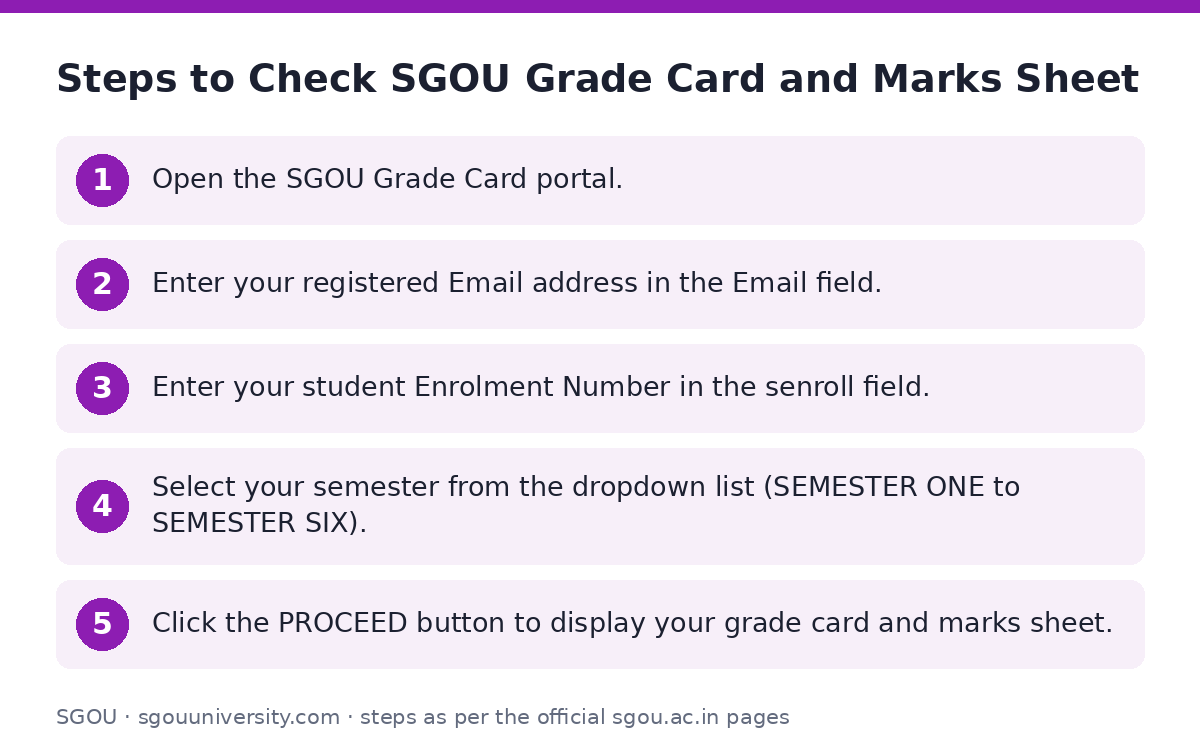
Steps to Check SGOU Grade Card and Marks Sheet
Learners enrolled in undergraduate or postgraduate programmes can view their semester marks online through the grade card portal.
- Open the SGOU Grade Card portal.
- Enter your registered Email address in the Email field.
- Enter your student Enrolment Number in the senroll field.
- Select your semester from the dropdown list (SEMESTER ONE to SEMESTER SIX).
- Click the PROCEED button to display your grade card and marks sheet.
Online Fee Payment Terms and Gateway Charges
Candidates are required to pay all university fees online through the portal payment gateway. After successful completion of any online payment, learners must generate and keep a copy of the payment receipt for future correspondence.
SGOU Online Fee Payment Charges
| Payment Type | Charge / Rate |
|---|---|
| Debit card Rupay | NIL |
| Other Debit cards up to Rs 2000 | NIL |
| Domestic Credit card | NIL |
| Netbanking | NIL |
| UPI | NIL |
Payment Confirmation and Official Contact
If you do not receive a confirmation message or receipt after completing an online fee payment, contact the University office before attempting another payment. For refunds, payment cancellations, or general examination queries, submit a request via the SGOU Contact Us portal or access announcements on the SGOU student corner portal.
Important SGOU links
| What you can do | Official page |
|---|---|
| Check published semester exam results | sgou.ac.in/examination/result |
| Access grade card and marks sheet | dms.sgou.ac.in/ciep/public/learner-irs-gradecard |
| Open SGOU learner portal | sgou.ac.in/student-corner |
| Contact university office for assistance | sgou.ac.in/contact |
Frequently asked questions
How can I check my SGOU semester grade card online?
Visit the SGOU Grade Card portal, enter your registered email address, enter your enrolment number, select your semester (Semester One to Six), and click PROCEED.
What details are required to view the SGOU marks sheet?
You need your registered email address, enrolment number, and your designated semester.
What payment methods are supported for SGOU university fee payments?
SGOU accepts RuPay debit cards, other debit cards up to Rs 2000, domestic credit cards, Net Banking, and UPI.
Are there additional transaction fees for online payment of SGOU fees?
No. Transaction charges for RuPay debit cards, domestic credit cards, Net Banking, and UPI are NIL.
What should I do if my payment succeeds but no receipt is generated?
Contact the SGOU University office before attempting to make the same payment again. For fee refunds or cancellations, contact the University office directly.
Sources
Written from the official SGOU pages and documents below, as read on 2 October 2026.
- Exam Result sgou.ac.in/…/result
- Improvement/Supplymentary/Revaluation dms.sgou.ac.in/…/learner-irs-gradecard
- Iam already a Learner sgou.ac.in/…/student-corner
- Contact Us sgou.ac.in/…/contact