
SGOU PG 3rd Semester July 2024 Regular Exam Result Declared: How to Check
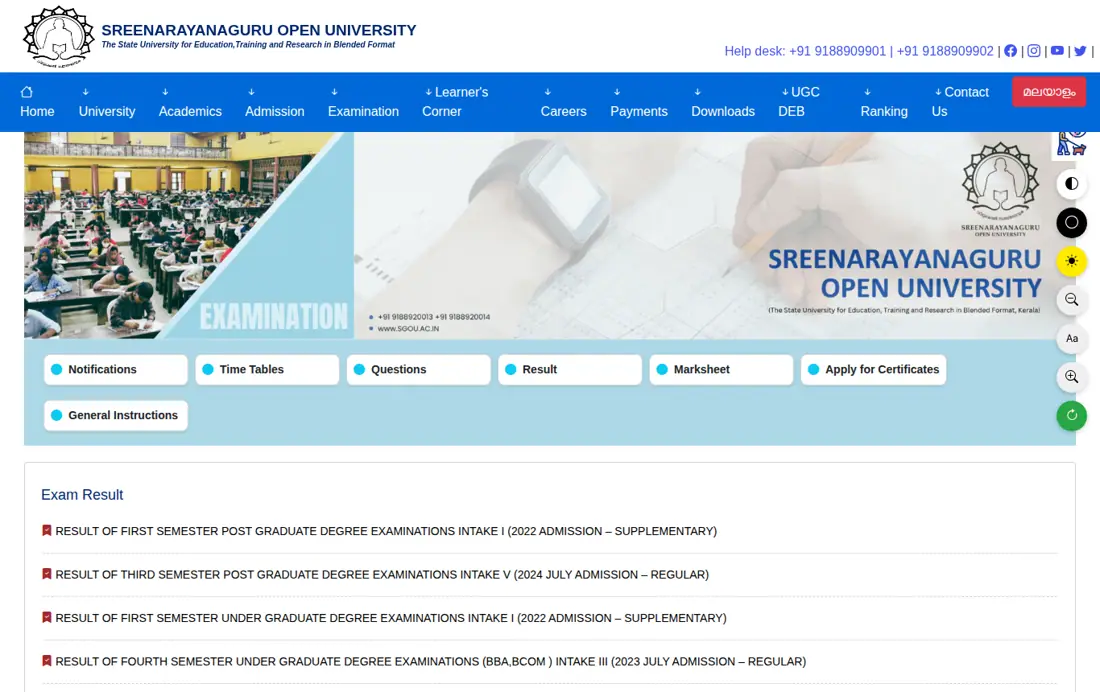
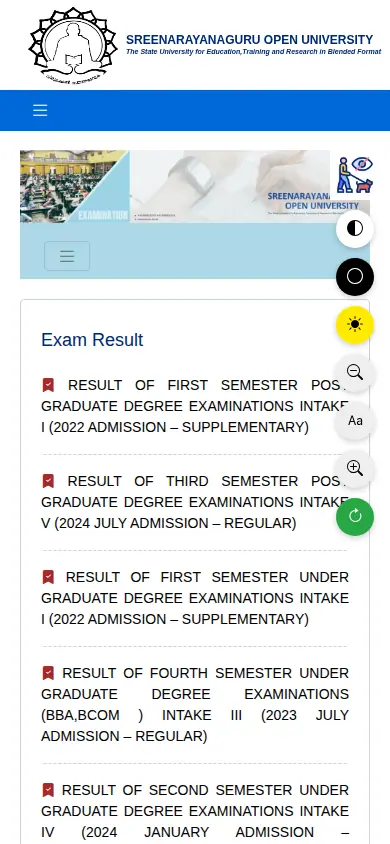
Sreenarayanaguru Open University (SGOU) has declared the result for the Third Semester Post Graduate Degree Examinations Intake V (2024 July Admission – Regular). Students can view and download their grade cards online by entering their registered email and enrolment number on the portal.
Contents
SGOU PG 3rd Semester Result July 2024: Highlights
SGOU has updated the official portal announcing the release of the third semester post-graduate regular examination results for Intake V learners.
SGOU PG 3rd Semester Result Overview
| Particulars | Details |
|---|---|
| University | Sreenarayanaguru Open University (SGOU) |
| Examination | Third Semester Post Graduate Degree Examinations |
| Intake / Admission | Intake V (2024 July Admission – Regular) |
| Result Check Portal | SGOU Grade Card Portal / Official Exam Result Page |
| Credentials Required | Email, Enrolment Number, Semester Selection |
Key facts
- University: Sreenarayanaguru Open University (SGOU)
- Event: Result Declaration for PG 3rd Semester Regular Exam
- Intake / Session: Intake V (2024 July Admission)
- Mode: Online Grade Card Portal
How to Check SGOU PG 3rd Semester Result
Learners can access their grade cards directly through the SGOU digital portal. Follow the steps below to check your marks:
- Go to the official portal or navigate to the Exam Result page.
- Access the grade card link to reach the portal.
- Enter your registered Email address in the specified field.
- Type your Enrolment Number in the ‘senroll’ field.
- Select ‘SEMESTER THREE’ from the semester dropdown menu.
- Click on the ‘PROCEED’ button to generate and view your marks sheet.
Programmes Covered Under SGOU PG 3rd Semester
The third semester result release covers post-graduate courses offered under the distance learning mode for the 2024 July intake.
- Master of Arts (Arabic)
- Master of Arts (Economics)
- Master of Arts (English)
- Master of Arts (Hindi)
- Master of Arts (History)
- Master of Arts (Malayalam)
- Master of Arts (Philosophy)
- Master of Arts (Political Science)
- Master of Arts (Public Administration)
- Master of Arts (Sanskrit)
- Master of Arts (Sociology)
- Master of Business Administration (MBA)
- Master of Commerce (M.Com)
- Master of Computer Applications (MCA)
Other SGOU services students check
SGOU Online Services and Fee Payment Terms
For any university services requiring online transactions, SGOU mandates online payment methods. Transaction charges across all listed online modes are zero.
- After successful payment, learners must generate and preserve the payment receipt for future correspondence.
- If a confirmation message or receipt is not received after paying fees online, contact the University office before attempting the payment again.
- For any refund or cancellation queries, reach out directly to the University Office.
SGOU Online Payment Transaction Rates
| Payment Type | Charge/Rate |
|---|---|
| Debit card Rupay | NIL |
| Other Debit cards up to Rs 2000 | NIL |
| Domestic Credit card | NIL |
| Netbanking | NIL |
| UPI | NIL |
Common SGOU Questions
How can I download my SGOU PG 3rd Semester grade card?
Learners can download the SGOU PG 3rd Semester grade card directly through the official SGOU grade card portal. This option applies to Intake V postgraduate students admitted under the 2024 July Regular Admission session. Enter your registered Email ID, type your Enrolment Number in the senroll field, select SEMESTER THREE from the semester dropdown menu, and click PROCEED to generate the grade card. If the document fails to load, verify your details or contact the SGOU University office for assistance.
Which admission batch does the SGOU PG 3rd semester result belong to?
The declared SGOU PG 3rd semester examination result belongs to Intake V postgraduate learners admitted under the 2024 July Regular Admission session. This declaration applies to students enrolled in 2-year MA, MCom, MBA, and MCA programmes across distance learning centers. Learners can check their marks on the SGOU grade card portal by submitting their registered email ID and enrolment number before selecting SEMESTER THREE. If your batch details do not load properly, verify your credentials or contact the SGOU University office.
What details are required to check the SGOU result?
You need your registered Email ID and Enrolment Number to check the SGOU PG 3rd semester exam result online. This applies to Intake V students admitted during the 2024 July Regular Admission session across post-graduate courses. Visit the SGOU grade card page, enter your email, type your enrolment number in the senroll box, pick SEMESTER THREE, and click PROCEED. If portal validation fails, verify your registered details or reach out to the SGOU University office.
What should I do if my fee payment confirmation is not generated?
You must contact the SGOU University office immediately if your online payment confirmation receipt is not generated. This rule applies to all university service fee payments made via Debit Card, Credit Card, Net Banking, or UPI gateway. Ensure you do not attempt another payment for the same service until you obtain instructions or receipt details directly from the university office. If transaction issues persist or refunds are required, reach out directly to the SGOU University office for assistance.
Which post-graduate degree programmes are covered under the SGOU PG 3rd semester result?
The SGOU PG 3rd semester result covers fourteen UGC-DEB recognised 2-year post-graduate degree programmes under Intake V. This includes Master of Arts in eleven subjects, Master of Commerce, Master of Business Administration, and Master of Computer Applications for 2024 July Admission. Students can check their marks by logging into the SGOU grade card portal with registered email credentials and enrolment number. If your enrolled MA, MCom, MBA, or MCA programme result is missing, report the issue to the SGOU University office.
What are the transaction charges for SGOU online fee payments?
Sreenarayanaguru Open University charges zero transaction fee (NIL rate) across all supported online payment methods. This rate applies to Rupay debit cards, other debit cards up to Rs 2000, domestic credit cards, netbanking, and UPI modes. To make a payment, navigate to the payment gateway on the SGOU portal, enter fee details, complete transaction, and generate receipt. If receipt generation fails after payment, contact the University office prior to making any secondary payment attempt.
Where can students check SGOU supplementary or improvement exam grade cards?
SGOU learners can access supplementary and improvement examination grade cards through the portal dms.sgou.ac.in/ciep/public/learner-irs-gradecard. This service applies to various batches including 2024 January Intake IV supplementary and improvement learners. Navigate to the specified URL, enter your email and enrolment number, select the appropriate semester, and proceed to generate your result statement. If your supplementary marks do not display correctly, contact the University office or your Learner Support Centre immediately.
Which SGOU PG supplementary examinations are scheduled for November 2026?
The Third Semester Supplementary Examinations for M.A. English and M.A. Malayalam under 2022 July Admissions Intake I are scheduled for November 2026. This examination applies to eligible postgraduate learners who registered under the 2022 July admission batch requiring supplementary attempts. Students should monitor notifications on the official SGOU examination portal at sgou.ac.in/examination/result for timetable updates and hall tickets. If exam schedules are unclear, contact your Learner Support Centre coordinator for clarification.
How can learners process fee refunds or payment cancellations at SGOU?
SGOU requires learners to contact the University Office directly to process any refund or fee payment cancellation requests. This procedure applies to all online transactions completed via credit card, debit card, net banking, or UPI modes. Keep your payment receipt and transaction reference number ready, then submit your request to the University Office for verification. If your online transaction status remains unresolved, visit the university headquarters or reach out via official contact channels.
Which undergraduate results were released alongside the SGOU PG 3rd semester results?
SGOU released Third Semester UG Regular, Third Semester UG BCA Regular, and Second Semester UG Regular results for 2024 July Admission Intake V alongside PG results. These releases cover undergraduate students enrolled in BA, BBA, BCom, and BCA programmes during the 2024 July admission session. Learners can view their marks by selecting their respective semester on the SGOU grade card portal and entering their login credentials. In case of result errors, contact your designated Learner Support Centre coordinator.
How can SGOU distance learners contact their regional Learner Support Centre for result queries?
Learners can contact LSC coordinators between 10 am and 6 pm via dedicated phone numbers and email addresses provided by SGOU. For example, Thalassery regional centre learners can contact Sebin George at MG College Iritty on 9446111167, while Kozhikode learners can email sgoulsc.acaswandoor@gmail.com. Visit your assigned support centre or send your email with your enrolment details to address result discrepancy issues. If your local coordinator is unavailable, reach out directly to the SGOU headquarters office for resolution.
Which SGOU UG programmes are scheduled for Sixth Semester Regular Examinations in November 2026?
Sreenarayanaguru Open University has scheduled the Sixth Semester Regular Examinations in November 2026 for 2023 July Admission Intake III undergraduate learners. This schedule applies to students enrolled in Bachelor of Business Administration, Bachelor of Commerce, and Bachelor of Arts across ten specialization subjects. Learners must access the examination portal at sgou.ac.in/examination/result to view timetables and hall ticket updates. If your programme timetable is missing, contact your Learner Support Centre coordinator for assistance.
Which SGOU PG first semester exam result was declared alongside the third semester results?
SGOU declared the result for the First Semester Post Graduate Degree Examinations Intake I under 2022 Admission Supplementary attempts. This result release applies to postgraduate learners enrolled in the 2022 admission batch who appeared for their first semester supplementary papers. Learners can view their marks on the SGOU grade card portal by selecting SEMESTER ONE and providing their registered email ID along with their enrolment number. If your supplementary grade card displays discrepancies, contact your Learner Support Centre or the University office.
Which SGOU UG fourth semester results were announced for 2023 July Admission Intake III?
SGOU declared the Fourth Semester Under Graduate Degree Examinations result for BBA and BCom under 2023 July Admission Intake III Regular session. This announcement applies to undergraduate distance learners enrolled in Bachelor of Business Administration and Bachelor of Commerce degree programmes. Students can check their semester marks by visiting the SGOU grade card portal, entering their registered email and enrolment number, and selecting SEMESTER FOUR. If your BBA or BCom marksheet fails to generate, reach out directly to your assigned Learner Support Centre.
Where to Go on the SGOU Site
- check PG exam results onlinesgou.ac.in ↗
- access SGOU learner portal loginsgou.ac.in ↗
- check improvement or supplementary resultdms.sgou.ac.in ↗
More on News & Updates
- SGOU UG & PG Admission 2026: Registration Deadline Extended to October 13
- SGOU Innovative Ideas Challenge 2026: Submission Last Date is October 24
- SGOU Admission 2026 Extended Until October 13: Online Application Process
- SGOU First Semester UG Intake I 2022 Supplementary Exam Results Declared: Check Grade Card
- SGOU Induction Programme for July-August 2026 Intake-I Session Scheduled for Sep 27