
How to Check SGOU Admission Status 2026? Application, Enrolment, and ID Creation
Part of SGOU Admission: SGOU Admission 2026: How Do I Apply Online? Portal, Courses and Process
SGOU new registrations for the 2026 July-August session are currently closed as of 09 November 2026. Students who have already applied must check their application status on the official admission portal. It is mandatory for all admitted learners to create their ABC ID and DEB ID.
Contents
- SGOU Alerts & Notifications
- SGOU Admission Status: 2026 July-August Session Update
- SGOU Admission Status: Overview
- SGOU Admission Status: Important Highlights
- How to Check SGOU Application Status?
- Details Required for SGOU Admission Application
- What to do if SGOU Application is Rejected?
- SGOU ABC ID and DEB ID Creation
- Next Steps for SGOU Applicants
- Where to Go on the SGOU Site
- Notices and Documents from SGOU
- Common SGOU Questions
- More on Admission
SGOU new registrations for the 2026 July-August session are closed. All SGOU admission applications are processed digitally online. Students must create an ABC ID and DEB ID for admission. Physical verification of documents is required at a Learner Support Centre. Admission is confirmed only after successful certificate verification.
Sreenarayanaguru Open University (SGOU), also known as Sree Narayana Guru Open University, manages all admission processes digitally through its online admission management portal. For the 2026 July-August session, new registrations are currently closed. Students who have already applied can check their application status on the portal and must ensure they create their ABC ID and DEB ID as part of the enrolment process.
SGOU Admission Status: 2026 July-August Session Update
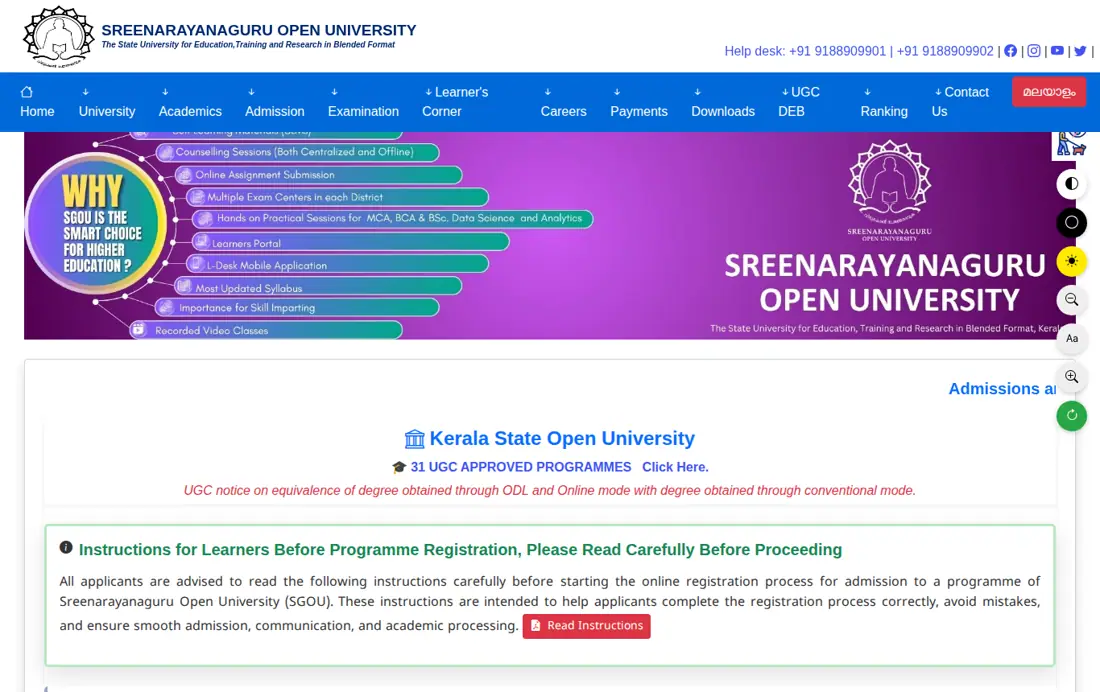
Sreenarayanaguru Open University (SGOU) has closed new registrations for the 2026 July-August academic session as of 09 November 2026. The university’s official admission portal and admission page both indicate that admissions are currently closed. Students who have already submitted their applications should monitor their status through the student dashboard.
While new registrations are closed, the university published a User Manual for ABC ID and DEB ID Creation on 09 November 2026. This manual provides essential steps for students to generate these IDs, which are mandatory for academic records and admission processes.
Key facts
- Current Admission Status (2026 July-August Session): Closed for new registrations
- Application Mode: Online only via admission portal
- Mandatory IDs for Admission: ABC ID and DEB ID
- Application Status Check: Student dashboard on admission portal
- Fee Payment Method: Online only (Debit Card, Credit Card, Net Banking, UPI)
- Physical Verification Requirement: Mandatory at selected Learner Support Centre
- Helpline Numbers: 9188909901, 9188909902
- Email for Queries: admission@sgou.ac.in
SGOU Admission Status: Overview
SGOU admission status refers to the current stage of a student’s application for various programmes offered in Open and Distance Learning (ODL) mode. This status indicates whether an application is submitted, under verification, approved, or rejected. All admission-related processes, including application submission and status checks, are handled through the university’s online admission management portal.
Students need to track their application status after submission, especially for physical verification and fee payment. The university does not accept direct applications and requires all fees to be paid online only through the official portal.
SGOU Admission Status: Important Highlights
The table below summarises key facts regarding the admission process and current status at Sreenarayanaguru Open University. This includes information on the application mode, mandatory IDs, and contact details for assistance.
SGOU Admission Process Key Facts
| Aspect | Detail |
|---|---|
| Current Admission Status (2026 July-August Session) | Closed for new registrations |
| Application Mode | Online only via admission portal |
| Mandatory IDs for Admission | ABC ID and DEB ID |
| Application Status Check | Student dashboard on admission portal |
| Fee Payment Method | Online only (Debit Card, Credit Card, Net Banking, UPI) |
| Physical Verification Requirement | Mandatory at selected Learner Support Centre |
| Helpline Numbers | 9188909901, 9188909902 |
| Email for Queries | admission@sgou.ac.in |
Other SGOU services students check
How to Check SGOU Application Status?
Students can check their SGOU application status through the student dashboard on the university’s admission management portal. After successfully applying for a programme, the status and further instructions, including fee payment details, become available here. The portal also provides an option to edit submitted information before regional centre verification.
Admission is confirmed only after the successful completion of certificate verification at a Learner Support Centre. Students must attend physical verification on their selected date and time. The edit option for applications is no longer available after verification.
- Visit the SGOU admission management portal.
- Log in to your student account using your credentials.
- Navigate to the student dashboard to view your application status.
- Check for any further instructions, such as fee payment or physical verification details.
Details Required for SGOU Admission Application
To apply for a programme at SGOU, candidates must provide specific personal and academic details through the online application form. This includes educational qualifications from 10th level onwards, depending on whether applying for UG or PG programmes. Accurate information is crucial, as errors may lead to application rejection.
Applicants also need to upload supporting documents, including a passport-size photograph and a scanned signature. Other documents like identification, transfer certificates, and caste/income certificates are also required. Candidates must select a Learner Support Centre during the application process, which cannot be changed later.
- 10th level qualification details
- Plus 2/Pre Degree/HSE/Equivalent Level qualification details
- Degree/Equivalent Level qualification details (mandatory for PG programmes)
- Passport-size photograph (JPG/PNG/JPEG format)
- Scanned copy of signature
- Identification-related documents
- Transfer certificate (mandatory for candidates below 45 years)
- Caste/Income/NCL Certificate (for reservation category candidates)
What to do if SGOU Application is Rejected?
If an SGOU application is rejected, typically due to ineligibility, submission of false documents, or incorrect information during certificate verification, the admission will not be confirmed. The university states that fees paid may be refunded subject to certain conditions. Students must apply for a refund using the facility available on the website or admission portal.
It is essential to provide correct bank account details in the applicant’s own name for any refund process. The university is not responsible for issues arising from incorrect account information or bank software failures. Always ensure all claims on eligibility, age, and fee concession are supported by original documents during verification.
SGOU ABC ID and DEB ID Creation
Creating an Academic Bank of Credits (ABC) ID and a Distance Education Bureau (DEB) ID is a mandatory step for students enrolling at Sreenarayanaguru Open University. These IDs are essential for maintaining academic records and for the university’s compliance with UGC guidelines. A detailed user manual is available to guide students through the creation process.
The ABC ID is created through the official abc.gov.in portal, requiring a mobile number, Aadhaar number, and personal information. Once the APAAR student account and ID are generated, the DEB ID can be created by visiting the deb.ugc.ac.in/StudentDEBId URL and entering the ABC ID.
- Visit abc.gov.in and click on ‘Students’.
- Sign up as a new user by entering your mobile number and verifying with an OTP.
- Set up personal information using your Aadhaar number, name, date of birth, gender, username, and security pin.
- Sign in to your account using your Aadhaar number and pin.
- Allow access and fill out the form, selecting ‘New Admission’ and ‘I am student at Sreenarayanaguru Open University’, with ‘Admission Year as 2025’.
- Submit to generate your APAAR student account and ABC ID.
- Visit deb.ugc.ac.in/StudentDEBId and enter your ABC ID to generate your DEB ID.
Next Steps for SGOU Applicants
As new registrations for the 2026 July-August session are closed, students who have already applied must regularly check their application status on the SGOU admission portal. Ensure all required documents are ready for physical verification at the selected Learner Support Centre. Additionally, complete the mandatory creation of your ABC ID and DEB ID as per the university’s instructions.
For any queries regarding your application or the ID creation process, contact the university’s helpline numbers or email the admission office. Promptly address any issues to ensure a smooth admission process.
Common SGOU Questions
Is SGOU admission open for the 2026 July-August session?
No, new registrations for the SGOU 2026 July-August academic session are closed as of 09 November 2026. Applicants who submitted forms before closure must log into their dashboard at erp.sgou.ac.in to track their status. Registered candidates should proceed with online fee payment or schedule certificate verification at their chosen centre.
How can I check my SGOU application status online?
Students can check their SGOU application status by logging into the student dashboard on the SGOU admission management portal. After successful application submission, the dashboard displays the current status and any further instructions, such as fee payment or physical verification details. This portal is the primary source for application updates.
What documents are required for SGOU admission verification?
For SGOU admission verification, students need to provide original documents supporting their academic qualifications (10th, Plus 2/HSE, Degree), identification, transfer certificate (if applicable), and caste/income/NCL certificates for reservation benefits. A passport-size photograph and scanned signature are also required for online upload. Physical verification of these documents is mandatory at a Learner Support Centre.
Is it mandatory to create an ABC ID and DEB ID for SGOU admission?
Yes, it is mandatory for all Sreenarayanaguru Open University (SGOU) students to create both an Academic Bank of Credits (ABC) ID and a Distance Education Bureau (DEB) ID. These IDs are crucial for maintaining academic records and are part of the university’s compliance with UGC guidelines. A user manual is available to guide students through the creation process.
What happens if I fail to produce documents during physical verification for SGOU admission?
If a candidate fails to produce required original documents during physical verification at the Learner Support Centre, especially for reservation categories, they may be liable to pay the full fee amount. Submission of false information or missing documents can cause delays or application rejection. Admission is confirmed only after successful verification.
Can I change my Learner Support Centre after applying to SGOU?
No, applicants cannot directly alter the selected Learner Support Centre during the initial SGOU online application once submitted. However, learners can submit a formal request later if supported by valid claims regarding eligibility, age, or fee concessions for the 2026 July-August session. Students must monitor their dashboard at erp.sgou.ac.in before physical verification.
How do I pay fees for SGOU admission?
All fees for Sreenarayanaguru Open University (SGOU) admission must be paid online only through the university’s official portal. Accepted payment modes include Debit Card, Credit Card, Net Banking, and UPI. The amount for each service will be displayed on the screen, and a receipt should be generated after successful payment.
How can students apply for an SGOU admission fee refund if an application is rejected?
If SGOU admission is rejected or not confirmed, students can apply for a fee refund online through the admission portal. Applicants must submit a refund application on erp.sgou.ac.in and provide accurate bank account details registered strictly under their own name. This rule applies to all 2026 July-August session applicants seeking cancellation or fee recovery.
Can I edit my submitted SGOU application form after registration?
Yes, candidates can edit their profile information on the admission portal prior to physical document verification at the regional centre. Applicants must log into erp.sgou.ac.in to make necessary corrections before their scheduled verification slot for the 2026 July-August session. Once verification is completed by officials, the edit option is permanently disabled.
How do SGOU candidates create their Academic Bank of Credits (ABC) ID?
SGOU candidates must create their ABC ID by registering as a student at abc.gov.in. Applicants must verify their mobile number via OTP, enter Aadhaar details, and select Sreenarayanaguru Open University with new admission as their identity type. This generates the mandatory APAAR student ID required for enrolling in the 2026 July-August session.
What additional certificates are required for SGOU applicants from outside Kerala?
Applicants from outside Kerala must produce an eligibility or recognition certificate during SGOU document verification. Additionally, PG applicants need a migration certificate, and candidates under 45 require a transfer certificate for the 2026 July-August session. These documents are uploaded on erp.sgou.ac.in.
Where to Go on the SGOU Site
- SGOU admission management portalerp.sgou.ac.in ↗
- SGOU admission pagesgou.ac.in ↗
- SGOU Learner’s Portalsgou.ac.in ↗
- SGOU Learner Support Centressgou.ac.in ↗
- SGOU Candidate Loginerp.sgou.ac.in ↗
- SGOU Contact Ussgou.ac.in ↗
Notices and Documents from SGOU
- DOWNLOAD USER MANUAL PDF — SGOU Admission User Manual
- USER’S MANUAL Instructions for candidate PDF — SGOU Admission User’s Manual Instructions
- SGOU User Manual for ABC ID and DEB ID Creation PDF — SGOU User Manual for ABC ID and DEB ID Creation
More on Admission
- SGOU Admission 2026: Step-by-Step Application Process
- SGOU Admission 2026: How Do I Apply Online? Portal, Courses and Process
- How Do I Check My SGOU Application Status? Portal, Verification, and Updates
- What Is the SGOU Admission Last Date 2026? July Session Dates and Schedule
- How Do I Contact SGOU Kollam? Phone Numbers, Email and Admission Helpdesk
- SGOU Exam Registration: November 2026 Schedules and Fee Details